
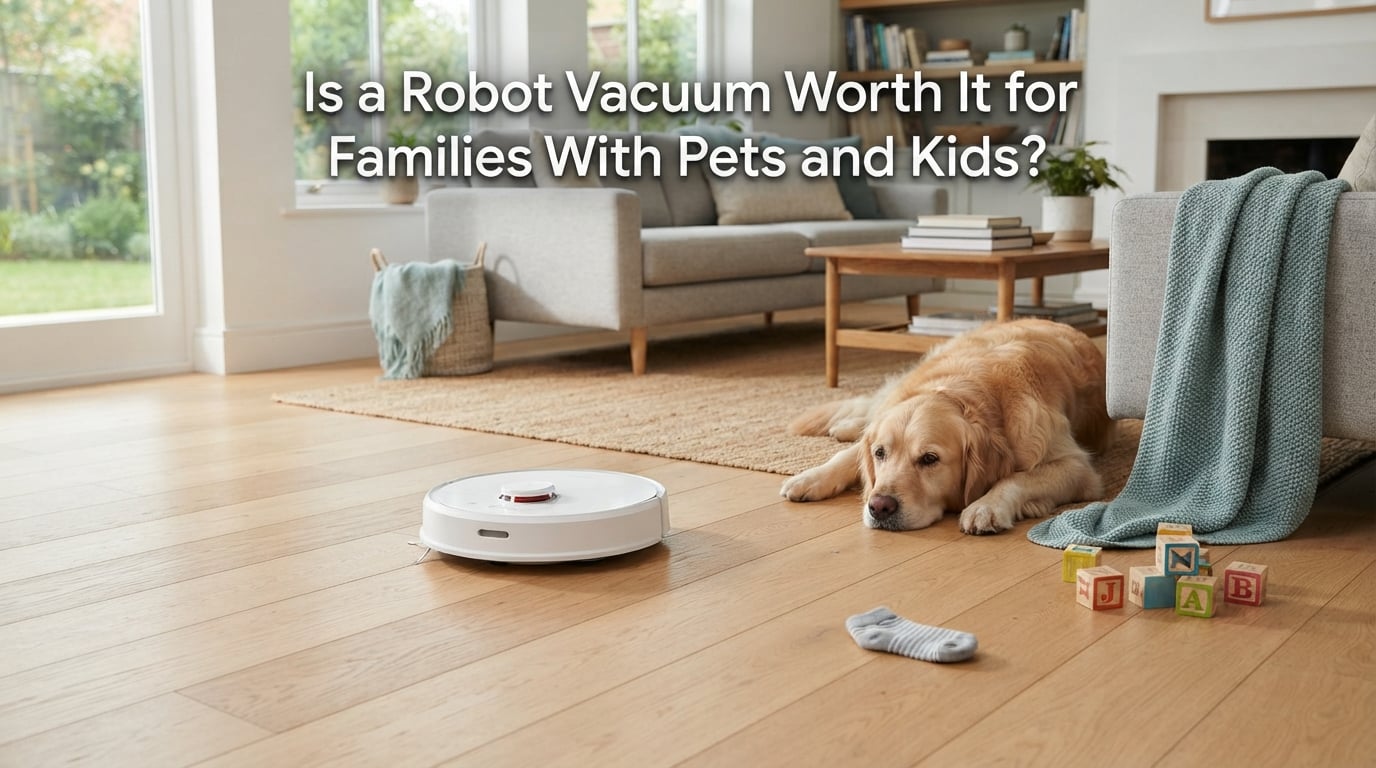
Short answer: yes, for most families with pets and kids, a robot vacuum is worth it. The machine is not a replacement for a real vacuum, but it turns a daily chore into a scheduled task you set once, and in a house where a toddler and a shedding dog are constantly dropping things on the floor, the value is time you get back rather than cleaner floors.
That answer deserves some qualifications, which is what the rest of this guide is for. My family has run robot vacuums on and off for years across three houses, two of them with a shedding dog, and one with a toddler who was the exact age where the floor is a debris field from breakfast to bedtime.
We compared the current generation of models against what we owned five years ago, read owner threads on r/RobotVacuums and the WhatToExpect Babies forum, and timed how much household time actually comes back. This guide is updated for 2026 and covers the costs, the maintenance, the kid and pet realities, and the honest reasons to skip the purchase entirely.
If you want the one-sentence version: are robot vacuums worth it with kids? Yes, when you have hard floors, at least one shedding pet, and ten minutes a week for upkeep. Everything below is the detail behind that sentence.
Table of Contents
- Quick Verdict: Is a Robot Vacuum Worth It for Families With Pets and Kids?
- The Real Benefits in a Pet and Kid Household
- The Downsides Nobody Tells You About
- What Changes When You Add Kids
- What Changes When You Add Pets
- The Five-Minute Weekly Maintenance Routine
- What It Actually Costs to Own One
- When a Robot Vacuum Is Not Worth It
- How to Prepare Your House Before Day One
- What to Look for Before You Buy
- Frequently Asked Questions
- Are robot vacuums worth it with kids?
- Are robot vacuums safe around babies and toddlers?
- What are the main downsides of using a robot vacuum?
- What is the best robot vacuum if you have pets?
- Is Roomba or Shark better for pet hair?
- Is it bad to run a robot vacuum every day?
- Why is my robot vacuum leaving clumps of dust?
- Do I still need a regular vacuum if I have a robot?
- Final Verdict
Quick Verdict: Is a Robot Vacuum Worth It for Families With Pets and Kids?
This table is the fastest way to answer the question. Find your household situation and read across.
| Your situation | Verdict | Why |
|---|---|---|
| Hard floors, one or more shedding pets, kids under school age | Worth it | This is the ideal case. Hair and crumbs arrive faster than any schedule can handle |
| Hard floors, kids but no pets | Worth it | Snack spills and toy dust are picked up daily without you asking |
| Mostly carpet, thick shag, or a rug-heavy living room | Weak case | Robots struggle with deep pile and need a real vacuum anyway |
| Small condo or apartment with one small room | Not worth it | The base takes up more floor space than the cleaning saves |
| Multi-storey home with stairs | Partly worth it | Works per level, but you carry it up and down |
| House you cannot tidy before the first run | Not yet | Cords, socks and toys cause most early early disappointments |
| You dislike apps, schedules and notifications | Not worth it | Every useful feature is app-driven |
| A cat that bolts or attacks machines | Depends | Workable with scheduling, stressful if the cat is afraid of it |
If your row says worth it, keep reading. If it says not worth it, the section on when to skip the purchase will save you the money and the frustration.
The Real Benefits in a Pet and Kid Household
Families who own these machines almost never describe them as a cleaning upgrade. They describe them as getting an evening back. Here is what the machine actually does for you.
- It runs on a schedule you set once. You start it from the companion app or a voice assistant while you are making breakfast, and the floors are handled before anyone walks on them.
- It catches the daily hair and crumb layer. A shedding dog and a toddler generate a steady low-level mess that a weekly vacuum never fully removes but that a daily pass keeps on top of.
- It handles the floor time toddlers require. Play happens on the floor, so a pass at the end of the day means less sticky residue ground into the hard floor by bare feet.
- A self-emptying dock removes the worst part. On a pet household the bin fills fast, and the auto-empty base is the single most-cited upgrade owners say was worth paying more for.
- It pulls allergens out of the bedroom and playroom. HEPA filtration captures fine dander and dust, and owners with allergic kids report the biggest difference in carpeted and soft-furnished areas.
- It reduces how much you have to supervise. A robot working a room while you fold laundry in the next room is a genuine second pair of hands, even if it is a motorised one.
- It gets you out of the way of stairs and cushions. The gaps between sofa cushions and the stairs themselves are the parts you skip, and the robot covers the floor underneath while you do not.
The Downsides Nobody Tells You About
The loudest criticism of robot vacuums in parent forums is not that they fail to clean. It is that people were sold a hands-off fantasy and got a small appliance that needs attention. Here is the honest list.
- Noise is the number one regret reason. On high suction over carpet it is loud enough to end a nap. A WhatToExpect Babies thread is full of parents saying the same thing about older models: too loud, gets stuck, not worth the purchase.
- You still need a real vacuum. Stairs, upholstery, couch cushions, the car and the edges of rooms are not covered. Budget for a stick vacuum you will still reach for monthly.
- Preparation is the hidden cost. Chargers, socks, hair ties, dog toys and low thresholds cause most of the ‘it is broken’ moments, and nobody tells buyers this before they buy.
- Hair wraps around the brushroll. Even anti-tangle rubber designs need a few minutes of attention in a heavy-shedding house, and if you skip it, suction drops noticeably.
- The first mapping run is long and loud. Several owners report spending hours on the initial mapping session, with the machine bumping around and finding its boundaries.
- Consumables add up quietly. Empty bags, filters, mop pads, side brushes and replacement brushrolls are recurring purchases with no end date, and they are the part people forget in the cost calculation.
- Mopping divides opinion. Owners with hard floors get real value from it. Owners on carpet find pads that smell, streak and need constant washing.
- It will not do the whole job. A robot running at the same time as a dropped sock or a cereal bowl just means the sock gets carried to another room.
What Changes When You Add Kids
Kids change the equation in ways pet owners alone rarely hit. Toy clutter, noise scheduling and floor safety are the three that matter most.
Toy clutter is the biggest practical issue. Building blocks, toy cars, LEGO and anything with wheels on it are exactly the size of the gap between a side brush and a baseboard. The standard fix is no-go zones, which let you exclude a playroom floor, a bedroom with small toys, or the area under a table where the toy graveyard forms.
Noise is a scheduling problem, not a buying problem. Most machines let you pick a room and a time, so you can run the playroom while your child is at daycare and the bedroom after lights out. Running it during quiet time works too, because you are not the one standing there listening.
Allergens and asthma are the quiet win. The real benefit for a child’s bedroom is that fine dust and dander get pulled into a sealed bin instead of staying airborne. Owners with allergic kids often point to the bedroom and soft furnishings as where they notice the difference first, and running it nightly rather than weekly is what makes that difference visible.
Safety deserves an honest answer. Modern units are low, heavy and slow enough that most toddler interactions are harmless, but there are two real risks: pinch points at the base where a child can trap fingers, and small detachable parts like side brushes and dustbin filters. Set the dock in a spot the child cannot reach, and check that the room is clear before a run.
The biggest change is floor time. In a house with a toddler, the floor is a workplace. A daily pass means fewer sticky handprints tracked into the rest of the house and less grit ground into the finish.
What Changes When You Add Pets
Pets add a different failure mode. The floor problem is continuous rather than event-based, which is exactly where a scheduled machine fits.
Shedding season roughly doubles the cleaning frequency. A household with a dog or cat in spring or fall goes from a weekly vacuum habit to a daily one, and a manual vacuum that cleans every weekend rarely keeps up with what the family is walking through.
The brushroll is the bottleneck. Hair wraps around the axle, not the bristles, which is why rubber brushroll designs exist. In a heavy-shedding house, expect five minutes a week with the scissors that usually come in the box.
Pet dander is a filtration problem. HEPA-style filtration is what captures the fine particles that trigger reactions, and a bin that empties every other run in a two-dog household is normal, not a fault.
Pet fear is a real, under-discussed issue. Cat owners report pets perching above the machine, swatting at it, or bolting from the room. Scheduling runs while the family is out usually settles this, and giving the pet a retreat route the robot cannot enter is a common fix.
Pet waste avoidance exists but is not universal. Higher-end models use cameras and sensors to detect and avoid accidents, and some brands back it with a dedicated pet guarantee. Treat any claim of this as a bonus feature rather than a reason on its own, because results vary widely by model and by pet.
The Five-Minute Weekly Maintenance Routine
Owners who still love their machines after years all describe the same small ritual. None of it takes long, and skipping it is what makes people give up.
- Empty or check the dock. If it self-empties, this is just replacing the bag. If it does not, this is the task that decides whether you keep using it daily.
- Pull hair off the brushroll. Five minutes with the scissors, once a week in shedding season. This is the single highest-return maintenance task.
- Wipe the sensors and the charging contacts. Dust on a cliff sensor is the most common cause of a robot that suddenly refuses to go near a rug.
- Rinse and dry the mop pad if you mop. A damp pad sitting in a closed base is the source of most of the odour complaints.
- Check for a stuck wheel or wrapped axle. Ten seconds with the machine flipped over prevents the two-hour run that ends against a baseboard.
Monthly, add a filter rinse or replacement and a look at the side brushes. Owners with well-kept machines report five to ten years of service, and the common factor in that longevity is a ten-minute monthly check.
What It Actually Costs to Own One
Total cost of ownership is the part almost every worth-it article skips, so here it is plainly. You have the machine once, and then you have consumables every year for as long as you own it.
| Tier | What you get | Consumables and upkeep |
|---|---|---|
| Budget | Random or basic navigation, small dustbin, no dock | Frequent emptying, filters and side brushes replaced often, most manual work falls on you |
| Mid-range | LiDAR mapping, no-go zones, self-emptying dock, vacuum and mop | Bags every few weeks, filter swaps, mop pads, occasional brushroll replacement |
| Flagship | Object recognition, self-washing and drying mop pads, multi-level maps, pet features | Same consumable categories at a higher grade, plus docks and sensors that are more expensive to replace |
Two rules keep the ongoing cost honest. First, budget for consumables from day one rather than treating them as optional extras, because a self-emptying dock is useless without bags. Second, buy the model whose consumables are easy to find locally, since a household that runs out of bags stops running the machine.
The break-even question is simpler than people make it. If a robot replaces thirty minutes of vacuuming five times a week, that is a hundred and fifty minutes a week. Any model that takes twelve hours a month to maintain, in our experience, pays for its running costs on time alone.
When a Robot Vacuum Is Not Worth It
This is the section we would want to read before buying. If any of these describe your home, save the money.
- You live in a small space with one room and hard floors. The dock needs somewhere to sit, and in a tight condo the space it takes can exceed the cleaning time it saves.
- You have no pets and no small children. Without a constant source of new mess, a good stick vacuum is faster and cheaper.
- Your home is mostly deep carpet. Robots do poorly on thick pile and will not replace a carpet extractor.
- You cannot commit ten minutes a week. A neglected machine with a wrapped brushroll underperforms so badly that you will conclude the whole category is a waste of money.
- You dislike apps and notifications. Mapping, zones, scheduling and no-go zones all live in the companion app, and there is no good way to use a modern robot without it.
- Your floors cannot be tidied before a run. A home with permanent clutter will exhaust the battery and clog the brushroll every time.
- You need deep carpet or upholstery cleaning. These are maintenance tools for floors, not deep-cleaning machines.
How to Prepare Your House Before Day One
Ten minutes of prep is the difference between a first week that goes well and a first week spent on the phone with customer service. Before the first run:
- Pick up every floor cord, charger and extension lead off the walking path.
- Collect socks, hair ties, small toys and anything with wheels.
- Move pet bowls off the floor or into a no-go zone.
- Check thresholds and low rug edges, and lift or pin the loose corners.
- Clear the space where the dock will sit, and leave clearance on both sides of it.
- Set the room boundaries in the app before the first full clean.
- Run one short test cycle in a single room before scheduling the whole house.
Set no-go zones in the app on day one even if you skip everything else. The playroom, the pet feeding area and any room with small toys are the three most common ones owners add.
What to Look for Before You Buy
For this household type, the decision comes down to a handful of features. These are the terms you will see on the box.
Self-emptying base. A dock that empties the dustbin into a bag, and on higher models refills water and washes and dries the mop pad. In a pet household this is the feature that decides whether the machine gets used daily or abandoned in a corner.
LiDAR mapping. LiDAR builds a floor plan with a spinning sensor and works in the dark. Camera-based mapping is cheaper and does not always need lighting, but it is the reason privacy becomes a question in a house with kids’ rooms on the map.
No-go and no-mop zones. Virtual walls and room labels in the app. These are how you exclude a playroom or a pet feeding corner without moving furniture.
Anti-tangle rubber brushroll. Wraps far less than bristle designs in shedding season, which directly reduces the weekly scissors ritual.
HEPA filtration. The filter that captures fine dander and dust, and the reason owners with allergic kids see a difference in bedrooms.
Obstacle recognition and carpet detection. Object recognition reduces how often it eats a toy or a cable, and carpet auto-lift stops it mopping your rug.
Runtime. Most current models run between sixty and one hundred and eighty minutes per charge. If you are cleaning a large open-plan main floor, this is worth checking against your square footage.
At brand level, the honest summary is short. iRobot’s Roomba line is the most established and the easiest to find parts for in Canada, and its pet-waste guarantee is a real differentiator if you have a puppy. Shark offers strong suction and is often the better value if hair pickup is your top priority. Roborock and eufy lead on mapping and app quality, and eufy in particular undercuts everyone on price for the feature list. Ecovacs and Dreame fill the mid-range with more hardware per dollar than the premium brands. If you want a simple answer to which of them handles pet hair better, test the brushroll design and the suction on carpet in person rather than trusting the badge.
One practical Canadian note: check the voltage, the warranty terms and where replacement parts ship from before you buy, and confirm the return window. A robot you can try in your own hallway for two weeks with a shedding dog is worth ten minutes of reading the policy.
Frequently Asked Questions
Are robot vacuums worth it with kids?
Yes, when you have hard floors, at least one shedding pet, and about ten minutes a week for upkeep. Families describe the value as getting an evening back rather than having cleaner floors. You will still want a real vacuum for stairs, upholstery and edges, and the machine is loud enough on carpet suction to end a nap.
Are robot vacuums safe around babies and toddlers?
Mostly, with two precautions. The main risks are pinch points at the base where a small child can trap fingers, and small detachable parts such as side brushes and filters. Place the dock out of reach, keep the room clear of cords and small toys before a run, and never leave a child alone with a running machine.
What are the main downsides of using a robot vacuum?
Noise on high suction over carpet, and the prep work it demands. Robots do not handle stairs, couch cushions or edges, so you still need a real vacuum. Hair wraps around the brushroll, consumables such as bags, filters and mop pads are a recurring cost, and the first mapping run can take hours.
What is the best robot vacuum if you have pets?
Look for a self-emptying base and an anti-tangle rubber brushroll first, then obstacle recognition and HEPA filtration. In shedding season the bin fills fast and the brushroll is the bottleneck, so those two features decide whether you use it daily. Roomba, Shark, Roborock and eufy all offer models that suit this household.
Is Roomba or Shark better for pet hair?
Shark tends to win on raw suction and carpet hair pickup, while Roomba has better-established parts availability in Canada and a pet-waste avoidance guarantee on higher models. Neither removes the need to clear hair off the brushroll weekly. Test both on carpet in a store with a hand on the brush, not just on hardwood.
Is it bad to run a robot vacuum every day?
No. Daily runs are what current models are designed for, and in a pet and kid household a daily pass is the entire point. A rinseable filter and a brushroll cleaned weekly are enough for longevity. Well-kept machines commonly last five to ten years, and the common factor in that lifespan is a short weekly maintenance ritual.
Why is my robot vacuum leaving clumps of dust?
Usually a filter that is past its useful life, or a full dustbin that never got emptied between runs. A clogged sensor can also make the machine skip sections and leave debris behind. Clean the filter, empty the bin, wipe the sensors and check the brushroll for wrapped hair. If clumps return quickly, the filter is the first thing to replace.
Do I still need a regular vacuum if I have a robot?
Yes, and this is where most disappointment comes from. A robot handles floors on a schedule, but stairs, upholstery, couch cushions, the car and tight edges are still manual jobs. A stick vacuum for monthly deep passes completes the setup, and pairing the two is a common arrangement among owners.
Final Verdict
So, is a robot vacuum worth it for families with pets and kids? In our experience, yes, and the reason is not suction. It is that the floors stay handled on a schedule while you get your evening back, and in a house with a toddler and a shedding dog that is the only version of clean that actually lasts.
Buy one if you have hard floors, at least one pet that sheds, and the ten minutes a week to keep the brushroll clear. Spend toward a self-emptying model, not the cheapest option with a small bin, because the auto-empty dock is what keeps the daily habit alive.
Skip it if your home is mostly deep carpet, if you cannot commit to the maintenance, or if your floors will never be tidied enough for a machine to run. In those cases a good stick vacuum is the smarter buy.
Either way, spend ten minutes clearing cords, socks and toys off the floor before the first run. That habit, not the model, decides whether a robot vacuum turns out to be worth it in your house.