
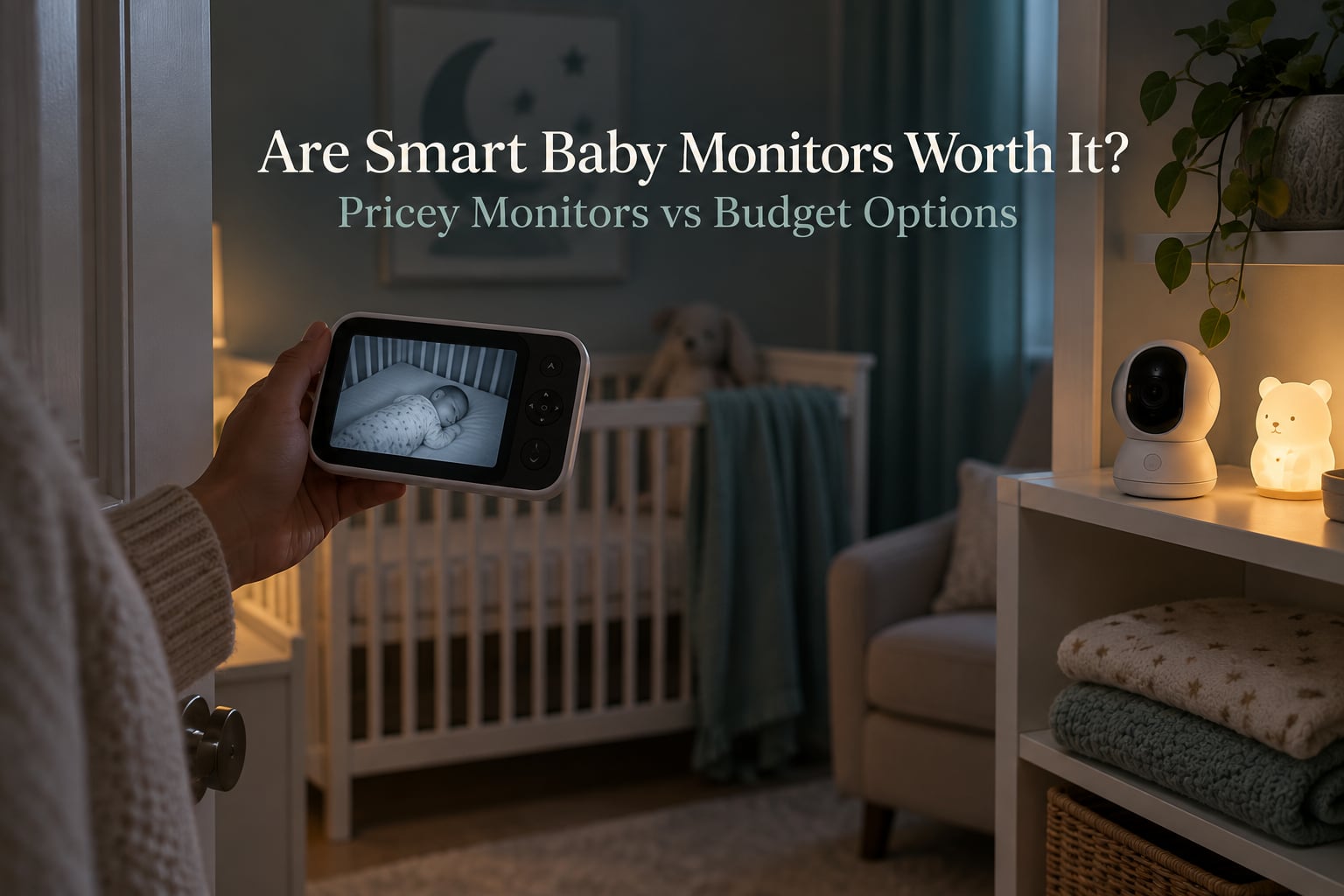
Are smart baby monitors worth it? The honest answer is: sometimes yes, and often no. A smart baby monitor is worth it for a small number of households with a specific, non-negotiable need. For everyone else, the money is better spent elsewhere, and the cheaper non-WiFi options do the same job for a fraction of the two-year cost.
I have spent the last few months talking to Edmonton parents, reading the parent forums, and reading the fine print on subscription plans for the major brands, because the sticker price is the least interesting number in this decision. What matters is what the monitor costs you in year two once you add the plan, the extra cameras, and the replacement sensors.
This guide breaks down what a smart monitor actually does, what it costs over two years, what the pediatric and public-health position on consumer vitals monitors is, and where the premium tier genuinely earns its keep. It also covers the case for buying nothing at all, which is a legitimate answer more often than the marketing suggests.
Table of Contents
- Are smart baby monitors worth it? The short answer
- Which kind of baby monitor parent are you?
- What the price really costs: subscriptions and total cost of ownership
- Budget vs premium: what the extra money actually buys
- Monitor types compared: audio-only, non-WiFi, WiFi app, wearable, contact-free
- What doctors and pediatric societies actually say
- Safety, EMFs, and how far away to mount the monitor
- Privacy, hacking, and vendor trust
- Do smart monitors reduce or increase anxiety?
- When you should skip a smart monitor entirely
- Five questions to ask before you buy any smart monitor
- Frequently Asked Questions
- Are smart baby monitors worth it?
- Do pediatricians recommend baby monitors?
- Why are baby monitors discouraged?
- Why don’t doctors recommend Owlet?
- Has the Owlet ever saved a baby?
- Is the Owlet subscription worth it?
- Is the Nanit or Owlet better?
- What is the most recommended baby monitor?
- Can you use a security camera or an old phone as a baby monitor?
- Conclusion: buy, skip, or wait
Are smart baby monitors worth it? The short answer
Here is the decision rule I use, and it is the same one I give friends and family:
- Buy a smart monitor if you work away from home and need reliable phone check-ins, your baby has a real medical or respiratory concern with a clinician involved, you split time between homes or travel often, or you will genuinely use the sleep data to change routines.
- Buy a budget non-WiFi monitor if you live on one floor, work from home or not at all, and you want sound plus a picture and nothing else. This is the right answer for most families.
- Wait on the premium tier if the baby is not yet here or is under a few months old. There is no need to decide this in the third trimester, and the best deal of all is often a secondhand unit bought once the newborn phase settles.
- Skip the monitor entirely if you are going to open the door and check on the baby anyway, or if you know that frequent alerts would push you toward muting the device within a month.
That is the whole decision. Everything below is the reasoning behind those four lines.
Which kind of baby monitor parent are you?
Almost every confusing monitor comparison I have read collapses once you sort parents into three groups. The features that justify a premium price for one group are noise for another, and the reverse is just as true.
The data parent
You like numbers. You want sleep scores, breathing trends, and a nightly report you can look at over coffee. You will use the data, and you will change something because of it, which is the only situation where analytics are worth paying for. For this parent, a subscription is not a tax, it is the product.
The trap here is the fourth-trimester version of the data parent: someone who buys the premium unit, stares at the sleep report for two weeks, and then quietly stops. Several parents describe exactly this, describing the monitor as a nice webcam on an installment plan. If you are not certain you will keep using the data, buy the cheap one and move up later if you miss it.
The just-show-me-the-baby parent
You want to know the baby is breathing and roughly how they are positioned. You do not want a dashboard. You will glance at a screen in the dark, confirm everything looks normal, and go back to sleep.
For this parent, every extra dollar above a solid non-WiFi unit is wasted. A 720p parent unit with decent night vision, reliable signal through two floors, and a volume that does not blow out your eardrums will do everything you need. Fancy sleep analytics will not change how you check on your baby, and premium resolution is wasted on a dark room where the difference is invisible.
The health-concern parent
This is the group where expensive gear genuinely wins, and it is a short list. Parents of preemies and babies with respiratory or cardiac issues consistently single out wearable vitals monitors as the one place the premium is justified, because the devices read heart rate and blood oxygen rather than guessing at movement from a camera.
If your baby has a genuine diagnosed concern, the conversation is with your pediatrician or your neonatal team, not with a product page. Ask them what specific readings they want, whether they want a specific type of sensor, and whether they will actually respond to an alert outside clinic hours. Buying a wearable first and hoping a doctor will read the data later is the most common expensive mistake in this category.
What the price really costs: subscriptions and total cost of ownership
Here is the part of the product page that almost nobody reads carefully enough. A smart monitor’s real cost is not the box. It is the box plus every recurring and replacement cost over the period you plan to use it, which for most families is at least two years.
The four cost lines that matter are:
- The device itself, plus any mount, stand, or extra camera if you have twins, a second nursery, or want coverage of a grandparents’ house.
- The subscription plan, which usually unlocks sleep analytics, longer video history, and sometimes the health tracking itself. Many plans are billed monthly or annually, and the monthly version of the same plan usually costs more over a full year than paying for the year up front.
- Cloud storage tiers, which are sometimes bundled with the analytics plan and sometimes sold separately, so a parent who only wants video history may still end up paying twice.
- Consumables and replacements, which apply to wearable monitors: sensor socks and bands get swapped out on a schedule, and a band that is out of service is a band that is not reporting.
The mental model that makes this easy: write the total as device, plus plan times two years, plus accessories, plus replacements. Do that arithmetic before you buy, not after the first renewal notice. A mid-priced monitor with no recurring fee often costs less over two years than a cheap-looking subscription monitor, which is exactly the trap in the phrase “affordable device.”
Two more cost details catch people. First, a plan that is optional at purchase can become required later, and a company ownership change has moved previously included features behind a paywall in this category. Second, if you will use the monitor at more than one location, each additional camera may need its own plan tier, and split-screen viewing sometimes costs more rather than less than a single feed.
Budget vs premium: what the extra money actually buys
Budget monitors are not a worse version of premium monitors. They are a different tool, and for most homes they are the right one. Here is the honest tier breakdown.
The budget tier is audio-only units and non-WiFi video monitors. The core promise is a direct camera-to-handset signal with no internet, no cloud, and no account. That simplicity is why parents on forums value them for travel and grandparents’ houses, where the wifi is unreliable. The costs are obvious: no app access from anywhere, no sleep analytics, no health readings, and usually a lower-resolution picture than the product photos suggest.
The mid tier is where hybrid units live, meaning one device that switches between a local parent unit and app viewing over wifi. For a family that wants a reliable screen at home and occasional phone check-ins, this is the value pick. It is also where a lot of the well-reviewed brand names sit, because the extra spend buys a sturdier signal and a better app rather than a health feature.
The premium tier splits into two very different categories. The first is premium camera monitoring, with better low-light sensors, on-device cry detection, face-cover detection, and sleep analytics delivered through a subscription. The second is wearable vitals, where a band or sock on the baby reports breathing, heart rate, and blood oxygen to the same app. The first category is about convenience and insight. The second is about a number, and the number is the entire point.
So what does the extra money actually buy? In the camera tier: sharper night vision, fewer missed events, and analytics you can act on. In the wearable tier: a validated reading rather than an inferred one. Neither is worth paying for if you will not use it.
| Option | Recurring subscription | Two-year all-in cost band | Works without wifi | Dedicated parent unit | Reads health vitals |
|---|---|---|---|---|---|
| Audio-only monitor | None | Lowest | Yes | Yes, simple | No |
| Budget non-WiFi video monitor | None | Low | Yes | Yes | No |
| Mid-tier hybrid monitor | Optional, for history and insights | Low to mid | Yes, in local mode | Yes | No |
| Premium camera monitor with app | Required for most insights | Mid to high | Usually limited | Often, sometimes app only | No, movement and breathing estimates only |
| Wearable vitals monitor | Required for full reporting | Highest | Varies by model | Usually app focused | Yes, heart rate and blood oxygen |
Named examples, so you know what these tiers look like on a shelf. In the budget non-WiFi group you will see long-established audio and video brands with dedicated handsets. The mid tier is where many of the app-capable brands sit. The premium camera tier is where Nanit, CuboAi, and Miku products compete on analytics quality. The wearable vitals tier is essentially Owlet, and the Nanit breathing band is the other wearable parents mention most often. Parents frequently describe the Nanit band as something they do not fully trust on its own, which is worth keeping in mind if you are comparing the two.
When you put the two premium options side by side, the difference is not resolution, it is measurement. A premium camera infers breathing from pixels and can be fooled by a blanket, a mobile, or a night-light glare. A wearable reads the signal directly. If you want a number a clinician can take seriously, the wearable is the only one of the two that produces one.
Monitor types compared: audio-only, non-WiFi, WiFi app, wearable, contact-free
Five types cover the entire market, and the vocabulary is worth knowing before you read any product page.
Non-WiFi or local monitor: the camera and the parent unit connect directly with no internet and no cloud. Nothing you record leaves your house, which makes it the privacy answer and the travel answer.
Hybrid monitor: one device that switches between local viewing and wifi app viewing. This is the compromise most families land on, and it is the one I recommend for a first monitor.
Subscription-gated feature: a function that stops working, or stops being saved, without a paid plan. This is the single most important thing to identify before purchase.
All-in cost: the device plus every required subscription, accessory, and extra camera over a set number of years. Always ask for the two-year figure, not the yearly one, because a second year is where the surprise lives.
Contact-free monitoring: breathing or movement tracking that requires nothing on the baby’s body. Convenient and less likely to come off, but it is an estimate, not a reading, and it should never be presented as a medical measurement.
| Type | Signal travels over | Best for | Main weakness |
|---|---|---|---|
| Audio-only | Direct radio link | Small budgets, minimalists | No picture at all |
| Non-WiFi video | Direct radio link | Same-floor homes, travel, privacy | No remote access, lower resolution |
| Wifi app video | Router and cloud | Working away from home | Depends on wifi, exposure to hacks |
| Wearable vitals | Base station then router | Babies with a real medical concern | Highest total cost, consumables |
| Contact-free AI tracking | Router and cloud | Parents who want estimates without wearables | Estimates only, sensitive to bedding and light |
What doctors and pediatric societies actually say
Pediatric guidance on consumer baby monitors is cautious, and understanding why is the most useful part of this whole question. It also answers the most-searched related questions: do pediatricians recommend baby monitors, why are baby monitors discouraged, and why do so many doctors not recommend Owlet.
The short version: no major pediatric or public health body endorses a consumer monitor as a way to prevent sudden infant death syndrome, and no body recommends consumer vitals wearables as a substitute for safe sleep practices. That is not a statement that monitors are useless. It is a statement about what they are not proven to do.
There are three specific reasons for the caution.
False reassurance. A camera or a motion sensor that reports nothing unusual cannot tell you a baby has stopped breathing. Parents who rely on a quiet screen may sleep longer than they otherwise would, and in the small number of cases where something has gone wrong, that extra depth of sleep is the part people ask about afterward.
False alarms. Consumer breathing estimates are triggered by a blanket, a fan, a stuffed toy, or a shadow. Parents describe the pattern clearly on the forums: a device that cries wolf at 3am gets muted by week three, and a muted device is worse than no device because it creates the impression of monitoring.
Not a medical device. Unless a product is cleared for a specific medical use, its readings are wellness data. A regulatory clearance for a pulse oximeter function tells you the sensor measures what it says it measures. It does not tell you any pediatric body recommends the device for a healthy baby, and it does not mean anyone would act on an alert at 3am.
On the question of whether a monitor like Owlet has ever saved a baby: there is no controlled study testing any consumer monitor against SIDS, and no published case data from manufacturers demonstrating a life saved. Parents anecdotally credit alerts with noticing a change in breathing, and those stories matter to the families who have them. They are anecdotes, not evidence, and a clinician will tell you the same thing. The proven interventions remain placing the baby on their back in their own crib, in a room with you, on a firm flat surface, with nothing else in the crib.
The practical takeaway is not to skip monitoring because doctors are cautious. It is to buy a monitor for the reassurance and convenience it genuinely provides, and to never treat it as a safety system, a medical device, or a replacement for safe sleep practices.
Safety, EMFs, and how far away to mount the monitor
Radiofrequency emissions come up constantly in parent groups, and the honest summary is less dramatic than either side claims. Every wireless monitor, including the non-WiFi ones, emits some radio signal, and every one of them transmits continuously. Switching to a non-WiFi model to reduce emissions does not take you to zero.
Distance is the lever that actually works, and it is free. Mount the camera outside the crib, keep the sensor on a cord or a monitor arm well outside the mattress, and place the wearable on the foot rather than the chest. If you are pregnant and working from home in the same room as the monitor all day, that distance matters more than any brand decision.
Two low-cost precautions are worth doing regardless. Run the ethernet or power cord through a cable guard so it cannot be pulled into the crib, and keep the camera where a toddler cannot reach the mount or the cable once your baby starts moving. Both are crib safety guidance that applies to any monitor.
Privacy, hacking, and vendor trust
A wifi baby monitor is a camera in your child’s bedroom connected to the internet, which is why the security question comes up so often among parents. The good news is that most incidents are boring and preventable. The bad news is that the category has a documented history of them.
Worth knowing before you choose a brand: one well-known camera brand had a public cloud upload incident in which users reported unexpected access concerns, followed by a settlement with the New York Attorney General. A wearable brand changed hands, and after the ownership change, features that had been included moved behind a paid plan. Both are reasons to read the privacy policy and the subscription terms rather than assuming the product you reviewed last year still works the same way.
What you can control:
- Use a strong unique account password and turn on two-factor authentication if the app offers it. This is the single highest-value action available to you.
- Keep firmware updated. Security patches are the fix for most known problems, and an unpatched camera is an old camera.
- Review app permissions and revoke anything you did not expect, particularly location and microphone access.
- Decide on cloud storage deliberately. If you do not need remote history, do not enable it. If you do, check whether recorded video is stored in a region and retention window you are comfortable with.
- Consider a local-only system if privacy is your top concern, and accept the trade that you will not get app access away from home.
None of this means you should skip a smart monitor for safety reasons. It means you should set it up like a device on your network, not like a baby toy.
Do smart monitors reduce or increase anxiety?
Honestly, for most parents, the answer is both, and the balance depends almost entirely on alert quality. This is the single most repeated theme across the parent forums, and the recurring complaints are consistent: false alerts, noisy alerts, and a picture quality on cheap models that is far worse than the product photos suggest.
Here is the mechanism. A monitor reduces anxiety when it gives you one clear signal that everything is fine and then goes quiet. It increases anxiety when it produces ambiguous data you have to interpret, especially at 3am with a newborn. Analytics, breathing estimates, and sleep scores all fall in the second category for a first-time parent, because every number creates a new thing to worry about.
Alert fatigue deserves its own warning. Parents describe being woken constantly until they mute the device, and a muted device is the worst outcome because it leaves you feeling monitored when you are not. If you know you will mute it, buy the simpler unit and save the money.
There is a partial fix if you want smart features but are worried about this. Turn off sleep scoring, turn off breathing estimates, keep cry detection and the picture, and only allow notifications for genuine events. You keep the convenience, lose the anxiety loop, and remove most of the reason to pay for a plan.
The one group where smart monitors seem to reduce anxiety durably is parents of medically concerned babies, and even there the benefit comes from real numbers and a clinician relationship, not from the app itself.
When you should skip a smart monitor entirely
The most useful section of this guide is the one that says do not buy one. There are three good reasons.
If you are home and on one floor. If you can hear the baby or walk the hall, a monitor is a convenience, and convenience is not worth a recurring fee. A basic audio unit or a simple non-WiFi video monitor covers the gap when you are in the shower or making coffee.
If you will use a phone or an existing security camera. An old phone on a stand, or a security camera you already own and repoint, gives you a live picture and two-way talk for the cost of a mount. Where this approach breaks down: most security cameras lack a proper night-light-balanced sensor, they record to the cloud by default, and they are not designed to be stared at in a dark room at 3am. If you go this route, check the privacy terms first, and expect to fiddle with the app more than you would with a purpose-built unit.
If the honest answer is that you will not use the data. If you have already decided a screen will not change your behaviour, a cheaper monitor or none is the correct purchase. Nobody has ever regretted not buying the analytics tier.
Two situations also inflate cost in ways worth planning for. With twins, you are looking at a second camera and possibly a higher plan tier for split-screen, and parents of multiples consistently flag that as a hidden budget multiplier. With travel or a grandparents’ house, the useful feature is working without wifi, not sleep scoring, which is an argument for the budget tier again.
Five questions to ask before you buy any smart monitor
These five questions settle nearly every purchase, and they take about five minutes in front of the product page.
1. What still works with no subscription? Find the list before checkout, not after. If the feature you are buying the monitor for is subscription-gated, the real price is the device plus the plan times two years.
2. Is the app necessary or just convenient? If you need phone access from work, that is a real need and a wifi camera or hybrid monitor serves it. If you do not, a local system is cheaper, more private, and more reliable during outages.
3. What is the two-year all-in cost? Device, plus plan, times two, plus any extra cameras, plus replacement sensors or bands. Write the number down and compare it against the budget option. This single calculation resolves most of the overpriced purchases in this category.
4. What happens when it gets a false alert? Look for cry detection with adjustable sensitivity, and for a mute or do-not-disturb schedule. A device that will wake you at 3am because the room got dark is going to be muted.
5. Does it work away from home? Check whether it functions on cellular data, whether the app supports a shared account for two caregivers, and whether local viewing still works when the wifi is down.
A note on Edmonton and Alberta pricing. Nearly all the prices quoted in reviews and forums are American, and they exclude sales tax. Anything you see published online is a starting point rather than your checkout total, so compare like with like. HST applies at checkout in Alberta, on top of the listed price. Secondhand is worth a serious look, especially for non-WiFi units, where the failure mode is usually nothing more than a tired power adapter or a lost handset. A used monitor in a working condition is worth a fraction of the new price, and the brands with the most active parent communities tend to have the easiest resale. Check that the camera still pairs with the app on the account you would use, because that is the part that most often decides whether a secondhand unit is usable.
One more buying note: do not buy during the newborn rush unless you have to. Most parents who regret a monitor purchase regret it because the unit was bought in a panic, in a hurry, without reading the subscription terms. Waiting a few months tends to both calm the decision and open up the secondhand market.
Frequently Asked Questions
Are smart baby monitors worth it?
They are worth it for a narrow set of households: parents who work away from home and need reliable phone check-ins, parents of babies with a real medical or respiratory concern, families who split time between homes or travel often, and parents who will genuinely use sleep data. For everyone else, a non-WiFi monitor with no subscription does the same job and costs far less over two years.
Do pediatricians recommend baby monitors?
Most pediatricians do not recommend consumer monitors as a safety device, and no major pediatric or public health body endorses one as a way to prevent sudden infant death syndrome. Many doctors will happily recommend a monitor for convenience, sound, and peace of mind, while being clear that it is not a medical device and does not replace safe sleep practices such as placing the baby on their back in an empty crib.
Why are baby monitors discouraged?
Three reasons come up repeatedly: false reassurance, because a quiet screen cannot tell you a baby has stopped breathing; false alarms, because camera-based breathing estimates trigger on blankets, fans, and shadows until parents mute the device; and the gap between wellness data and medical data. A muted device is the real danger, since it leaves parents feeling monitored when they are not.
Why don’t doctors recommend Owlet?
Because no controlled study has tested any consumer vitals monitor against sudden infant death syndrome, and because a regulatory clearance for a sensor function is not an endorsement of the device for healthy babies. A wearable reads real numbers, which is genuinely useful when a clinician has asked for that specific data. Without that relationship, most doctors see the readings as wellness information that can generate anxiety without changing any action.
Has the Owlet ever saved a baby?
There is no published case data or controlled study demonstrating that a consumer monitor has saved a baby’s life, and manufacturers have not published such evidence. Parents anecdotally credit alerts with noticing changes in breathing, and those accounts matter to the families who have them, but they remain anecdotes rather than evidence. Ask your pediatrician directly if this is your situation.
Is the Owlet subscription worth it?
Only if a clinician has asked you to track vitals, or if you have decided you will consistently use the sleep data. For a healthy full-term baby, the subscription is usually the most expensive line in the category and the least used. Calculate the two-year all-in cost, device plus plan times two, and compare it to a non-WiFi monitor before deciding.
Is the Nanit or Owlet better?
They measure different things. Owlet is a wearable that reads heart rate and blood oxygen directly, which is why it is the right choice when a clinician wants real vitals. Nanit is a premium camera system with a wearable breathing band, offering better video, sleep analytics, and app features, with the band as an accessory. If you want a number a doctor can take seriously, choose the wearable. If you want video and sleep insight, choose the camera system.
What is the most recommended baby monitor?
Among parents who write detailed reviews, the non-WiFi video monitors with a dedicated parent unit are the most consistently recommended, because they are cheap, private, and work without a router. Among app-based options, hybrid monitors that switch between local and wifi viewing get the best reception. Pediatric societies recommend no specific model, since consumer monitors are not endorsed as safety devices.
Can you use a security camera or an old phone as a baby monitor?
Yes, and for a parent who is home on one floor it is often the most sensible option. The limitations are night performance, since most security cameras are not balanced for a dark room, and privacy, since cloud recording is usually on by default. A phone on a stand works for travel but needs its own charging and network arrangement, and neither approach gives you the low-light picture quality of a purpose-built unit.
Conclusion: buy, skip, or wait
Are smart baby monitors worth it? For most families in Edmonton and everywhere else, the answer is that the smart tier is not worth it, and a solid non-WiFi monitor with no subscription is the better buy. It is private, it works when your wifi does not, and it does not create a monthly line item you will forget about.
Buy into the premium tier for a reason, not for a feature list: a clinician-involved health concern, real phone check-ins from work, frequent travel, or a household that will genuinely use the data. Before you pay, write down the two-year all-in cost and read what still works without a subscription. If you can do the maths and the feature still matters to you, the premium tier earns its place. If you hesitate, buy the budget unit, wait, or skip the monitor entirely and save the money for the rest of the newborn year.